Apartment Living Is Quietly Killing Your 4K Stream — Here's What's Actually Going On
You did everything right. You subscribed to a 4K streaming tier. You bought a capable streaming device. You're paying for a 200 Mbps internet plan, and your speed test confirms you're getting it. So why does your 4K stream turn into a pixelated mess every evening around 8 PM? Why does it buffer through an entire movie on a Saturday night?
If you live in an apartment, a condo, a townhouse, or any kind of multi-unit building, the answer probably has nothing to do with your setup — and everything to do with the infrastructure you share with your neighbors.
The Speed Test Tells You Almost Nothing Useful
This is the frustrating starting point for most apartment streamers. You run a speed test, you see 180 Mbps down, and you figure the problem must be your device or the streaming service. But a speed test only measures one thing: the speed between your device and a test server, at that specific moment, under conditions that are nothing like actual streaming.
A speed test doesn't measure:
- Network congestion during peak hours when your entire building is online simultaneously
- ISP backhaul limitations — the capacity of the connection between your ISP's local node and the wider internet
- Shared building infrastructure — the internal wiring and routers that many apartment complexes use to distribute internet to multiple units
- Wi-Fi interference from neighboring units running their own routers on overlapping channels
All of these can devastate your real-world 4K streaming performance while leaving your speed test results looking perfectly healthy.
The Peak Hours Problem
Internet infrastructure is shared by design. Your ISP doesn't give every customer a dedicated pipe to the internet — it pools bandwidth across a neighborhood and assumes not everyone will use their full allocation at the same time. This works fine at 2 PM on a Tuesday. It falls apart at 8 PM on a Friday when every apartment in your building is streaming something.
This is called network congestion, and it's one of the most common causes of evening streaming failures that no speed test will ever catch. The technical term is "contention ratio" — how many users are sharing the available bandwidth. Budget ISPs and apartment-building internet packages often have terrible contention ratios because they're priced to be cheap, not reliable.
What to do: Run a speed test at multiple times — 10 AM on a weekday, then again at 8 PM on a Friday. If your speeds drop significantly in the evening, congestion is almost certainly your culprit. Document the results and contact your ISP. If the problem is consistent, you have legitimate grounds to request a service credit or escalate the complaint.
Building Wiring: The Infrastructure Nobody Talks About
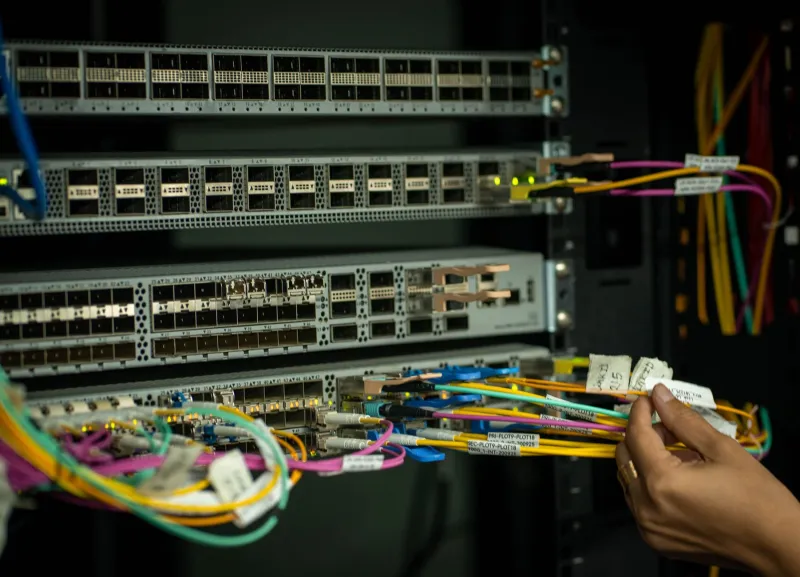
Many apartment buildings, especially older ones, use shared internal networking infrastructure that was never designed for modern streaming demands. Some use a central router that serves the entire building, with individual units connecting through that single device. Others use aging coaxial or telephone-line infrastructure that creates significant bottlenecks before your signal even reaches your unit's wall jack.
Even in newer buildings, the ethernet runs inside walls may be Cat5 or Cat5e — adequate for basic internet but potentially limiting for households running multiple simultaneous 4K streams.
What to do: Ask your building manager or landlord directly: "What type of network infrastructure does the building use, and when was it last upgraded?" You'd be surprised how often building managers don't know the answer — which tells you something about how much attention it's gotten. If you're on a shared building network, push for clarity on what bandwidth is actually allocated per unit.
Wi-Fi Interference in Dense Buildings
In an apartment building, you're not just competing for backhaul bandwidth — you're competing for airspace. Every apartment running its own Wi-Fi router creates radio interference that degrades signal quality for everyone nearby. In a 50-unit building, your device might be seeing dozens of competing Wi-Fi networks, all broadcasting on overlapping channels.
The 2.4 GHz band is especially prone to this. It travels through walls well, which is exactly why it causes so much interference in dense living environments. The 5 GHz band is less congested but has shorter range and struggles with walls.
What to do:
- Switch to 5 GHz or 6 GHz on your router and streaming device. Less range, but dramatically less interference in apartment settings.
- Use a Wi-Fi analyzer app (NetSpot is solid on Windows and Mac; WiFi Analyzer works well on Android) to see which channels are congested in your building. Set your router to a less crowded channel manually rather than leaving it on "auto."
- Seriously consider a wired connection. Run a single ethernet cable from your router to your streaming device. It's not glamorous, but it eliminates Wi-Fi interference entirely for your primary viewing setup. Cable raceways from any hardware store make it look clean along baseboards.
Mesh Networks: Worth It in Apartments?
Mesh networking systems like Eero, Google Nest WiFi, and Orbi get a lot of attention for improving whole-home coverage. In a house, they're excellent. In an apartment, the calculus is different.
If your apartment is large enough that Wi-Fi signal is genuinely weak in your streaming room, a mesh node can help. But if your problem is interference from neighboring networks or ISP congestion, a mesh system won't fix it — you're adding hardware to solve a problem that exists outside your walls.
The exception: if your apartment building uses a central router and you're allowed to connect your own router to it, a quality mesh system can dramatically improve the Wi-Fi environment within your unit. Just make sure you're not creating a double-NAT situation that creates its own issues.
When to Push Back on Your Landlord or ISP
You have more leverage than you think. If your building provides internet as part of your rent or as a building amenity, and that internet consistently fails to support basic streaming during evening hours, that's a service delivery failure — not a personal problem.
Document your issues. Screenshot speed tests at peak and off-peak hours. Note the times and dates your stream degrades. Then have a direct conversation: with your ISP if you're paying them directly, or with your landlord or building management if internet is bundled into your rent.
For ISP conversations, ask specifically whether your service address shares infrastructure with many other units, and what the contention ratio is on your segment. They may not answer directly, but the question signals you know what you're talking about — and often prompts faster resolution.
The Practical Short List
If you want to stop reading and start fixing, here's where to begin:
- Run speed tests at peak and off-peak hours and compare results
- Switch your streaming device to 5 GHz Wi-Fi if you haven't already
- Run an ethernet cable from router to streaming device for your main TV
- Use a Wi-Fi analyzer to find less congested channels and set them manually
- Contact your ISP with documented evidence of peak-hour degradation
- Ask your landlord about building infrastructure if internet is a building service
Apartment streaming can absolutely deliver the 4K experience you're paying for. But it takes a little more effort than it should — and the first step is understanding that the problem almost certainly isn't in your living room.